ROE error messages -Troubleshooting
Note: The last 60 pay periods of EI history are available based on the most recent payroll run. For editing pay period EI history we can modify the current year and the immediate prior year (ie we cannot go back 2 calendar years). Special considerations may apply. Contact Customer Care for additional assistance.
Error messages may display when an ROE is requested. They are not Dayforce errors - they are from Service Canada.
The most common error messages and their solutions are provided. If your issue is not found here, contact your Customer Support Team
 EI History Issue Detected
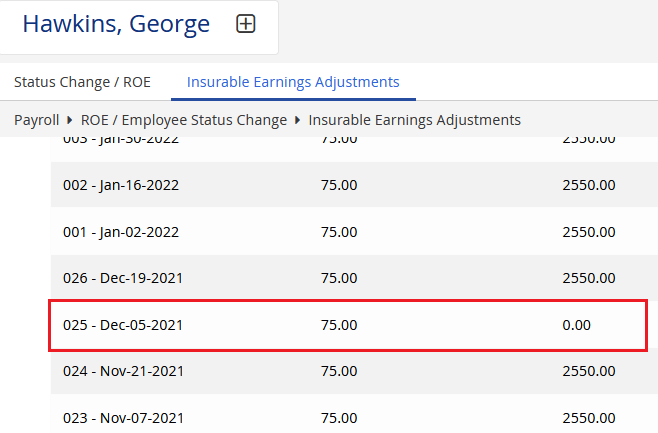
This employee has pay periods in their EI history with inconsistent data:
-
0.00 hours with earnings
-
Hours reported with 0.00 earnings
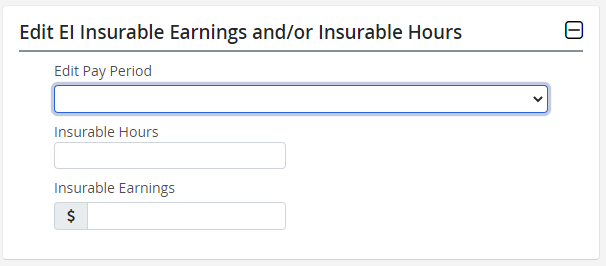
Resolution: Review and correct these entries by viewing the Employee EI History to find the pay period(s) with inconsistent data and then editing the Insurable Hours and/or Earnings on the Insurable Earnings Adjustments page.
You can use your payroll register (Standard Reports) as a reference to find the missing data.
| What This Means | Solution |
|---|---|
|
In the EI/QPIP history (Payroll > ROE/Status Change > Insurable Earnings Adjustments) there is an insurable earnings period where the Insurable Earnings and Insurable Hours values do not align, meaning one is zero and the other is not. Insurable hours and earnings must either both contain a value or both be zero.
|
Adjust the hours or earnings value accordingly.
|
|
** Insurable Earnings Amount must be from 0.01 to 9,999,999.99 inclusively when Insurable Hours are greater than 0.00 for the same pay period. |
|
 Final Pay Period Date Mismatch
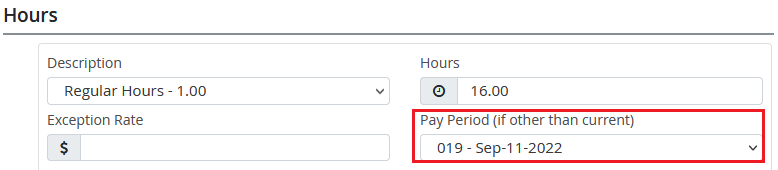
The Block 12 - Final Pay Period Ending Date does not match the employee's last pay period with insurable hours and earnings.
Resolution: Review the ROE date and the employee's timesheet, and update the date or pay period so they match.
| What This Means | Solution |
|---|---|
|
The hours or earnings entered on the Timesheet are allocated to a different pay period than indicated in Box 12 on the ROE. Timesheet:
Box 12 on the ROE:
Note: Pay Period 1 in the error message refers to the Pay Period 1 box on the ROE, not the first pay period of the year. The Pay Period 1 box on the ROE displays the pay period ending date and the insurable hours and earnings recorded to the employee in that pay period.
|
Adjust the pay period ending date on the Timesheet or the ROE accordingly.
|
|
** Pay Period Ending Date in Pay Period 1 must be equal to the Final Pay Period Ending Date provided in block 12. |
|
 ROE Cannot Be Produced
The selected Last Day for Which Paid falls in a pay period with no insurable hours or earnings.
Resolution: Confirm the employee's actual last day worked. If no payment is being made in the current pay period, update Last Day Worked and Final Pay Period Ending Date (Block 12)
to match the last pay period where the employee had insurable hours and earnings. Once updated, run Preview again.
| What This Means | Solution |
|---|---|
|
There are no insurable hours or earnings in the pay period indicated by the Last Day For Which Paid date entered in Box 11. Note: Pay Period 1 in the error message refers to the Pay Period 1 box on the ROE, not the first pay period of the year. The Pay Period 1 box on the ROE displays the pay period ending date and the insurable hours and earnings recorded to the employee in that pay period. |
|
|
Message in Standard Reports Package, on Executive Summary: ** Earnings & Hours are both zero for Final Pay Date
|
|
EI History Needs Review
We've detected unusually high insurable hours in this employee's EI history.
Resolution: Go to Payroll > ROE / Employee Status Change > Insurable Earnings Adjustment. Select View Employee EI History and click Next. Review the insurable hours for each pay period. Update any incorrect values as needed. Use your payroll register (Standard Reports) to confirm the correct insurable hours before making changes.
| What This Means | Solution |
|---|---|
|
Excessive hours are included in the EI History Some reasons this could occur:
|
For more information see Adjust the EI history of a terminated employee. |
|
Message in Standard Reports Package, on Executive Summary: ** Total Insurable Hours cannot exceed the lesser of 8,904 or (Last Day For Which Paid - First Day Worked + 1) x 24. |
|
 First Day Worked Mismatch
The pay period containing this employee's First Day Worked does not have any insurable hours or earnings.
Resolution: Review the employee's First Day Worked on the ROE. Confirm it matches the employee's actual first physical day on the job. If the date is correct, review the EI History for that pay period. If needed, reallocate insurable hours or earnings to the correct pay period using Insurable Earnings Adjustment. Use your payroll register (Standard Reports) to help verify the correct dates and amounts.
| What This Means | Solution |
|---|---|
|
The pay period that includes the employee's First Day Worked does not have any insurable earnings or hours associated with it. This means that either:
|
Adjust the EI History
|
|
Message in Standard Reports Package, on Executive Summary: **Insurable Earnings Amount in Pay Period containing the First Day Worked must be from 0.01 to 9,999,999.99 inclusively. **Insurable Hours in Pay Period containing the First Day Worked must be from 0.01 to 999.99 inclusively (decimal included). |
|
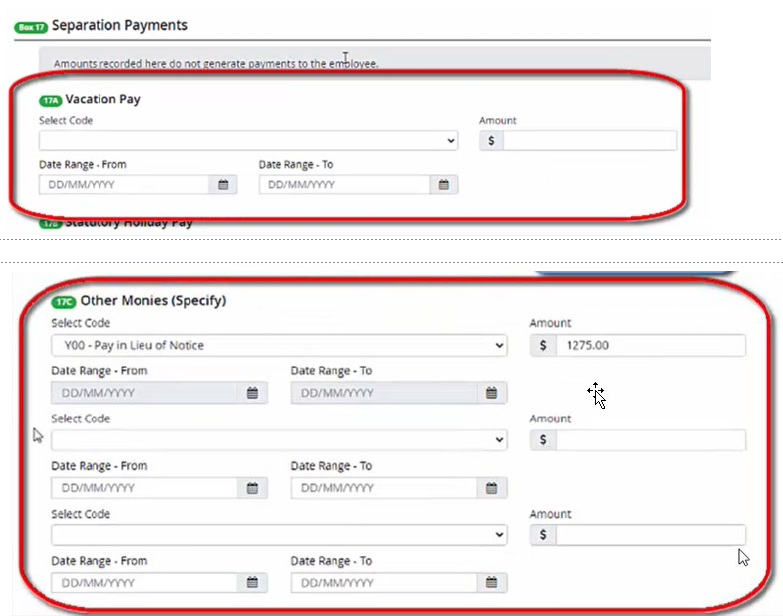
**Insurable Earnings Amount in Pay Period 1 must include insurable earnings as well as the total amount of insurable separation monies provided in Block 17.
| What This Means | Solution |
|---|---|
|
An insurable amount entered on the Status Change / ROE page (and / or entered on the employee's timesheet or rapid entry) is being directed to Box 17 on the ROE. The amount is equal to or exceeds the amount displaying in PP1 of the ROE (current pay period). |
|
 Detect "ROE Did Not Produce"
Payroll Preview now identifies affected employee(s) and displays a clear message.
The user is directed to review EI History.

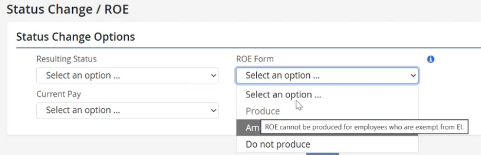
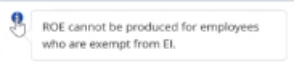
ROE Cannot be Produced for Employees who are EI-Exempt
Produce and Amend options are disabled, with an explanatory tooltip; server-side validation is also enforced.